
Ingame Tools
Ingame Tools
Section titled “Ingame Tools”We have various ingame tools available to make your time on UO even easier.
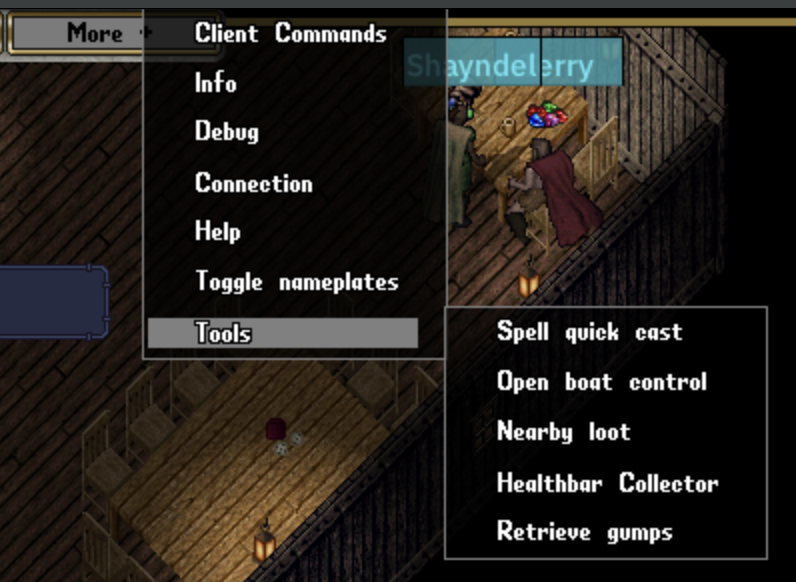
Spell Quick Cast
Section titled “Spell Quick Cast”A small gump to quickly type and cast any spell
Boat control
Section titled “Boat control”A basic UI for easier boat control
Nearby loot
Section titled “Nearby loot”A UI for showing and consolodating nearby corpse loot into a single UI.
Healthbar collector
Section titled “Healthbar collector”A simple UI show showing nearby mobiles(Customizable)
Retreive gumps
Section titled “Retreive gumps”Lost a gump off screen? Try this option.
Profiler
Section titled “Profiler”A diagnostic window that shows per-frame timing for the client’s subsystems, so you can see what is taking the most time. It includes:
- Frame timing columns, including a Peak (ms) column for the worst recent frame.
- Current process memory usage (working set, in MB) and a live CPU usage percentage.
- Current global action queue and main thread queue counts, refreshed every 250 ms, plus a Clear Action Queue button to flush the queued action list.
- Per-packet tracking — incoming and outgoing network packets are timed per packet.
- A copy button to copy the output for sharing/bug reports.
Open it from Top bar -> More -> Developer -> Profiler. It is now available on normal
(non-debug) releases, so you no longer need a debug build to use it.
Log History
Section titled “Log History”A window showing the client’s rolling in-memory log output, so you can check for errors or warnings without digging through log files. Filter the list by severity (Trace, Debug, Info, Warning, Error).
Open it from Top bar -> More -> Developer -> Log History.